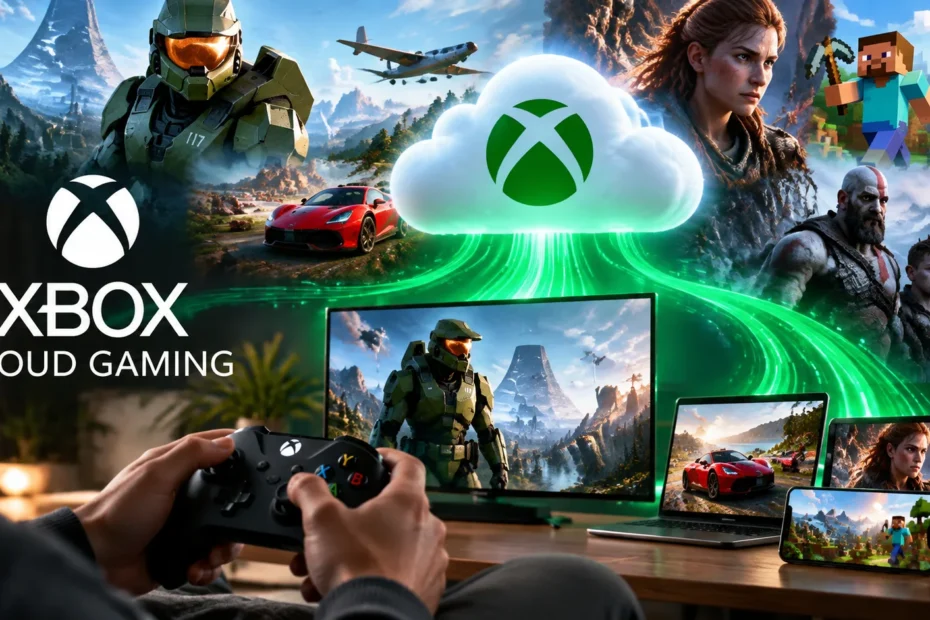
Introduction
Let’s be honest. You’ve stared at a $500 console price tag and thought, “I just want to play Fortnite on my lunch break.” Or maybe you’re a PC player tired of clearing 100GB of storage for one game. Here’s the thing: you don’t need the hardware anymore.
It streams console-quality games straight to the phone in your pocket or the laptop on your desk. No download. No install. No console. I’ve tested it across three continents and watched it evolve from a laggy beta into a legit way to play.
This guide cuts through the noise. You’ll learn what works, what changed in 2026 (the hourly limits are real), and exactly how to start playing in under five minutes.
Quick Answer: Xbox Cloud Gaming is a service that streams Xbox games over the internet to devices you already own—phones, PCs, TVs, and tablets. You need a Game Pass subscription (or a free account for Fortnite) and an internet connection of at least 20 Mbps—no console required.
Working Behavior
Direct Answer: Xbox Cloud Gaming runs games on Microsoft’s servers and beams the video feed to your screen, turning your device into a thin client that needs a good connection.
Think of it like Netflix, but instead of watching Stranger Things, you’re playing Halo. The heavy lifting—the graphics rendering, the physics calculations, the game logic—happens on hardware sitting in a data center miles away. Your phone or laptop receives a video stream and sends your button presses back.
Microsoft flipped the service out of beta in late 2025, and it’s now bundled with Game Pass Essential, Premium, and Ultimate tiers. The tech has matured.
I remember testing the early beta on a hotel Wi-Fi in 2023 and watching my character stutter into walls. Now? I’ve cleared Fortnite matches on 5G from a parking lot. The difference is night and day.
Key Takeaway:
- Cloud gaming is remote game streaming, not local play. Your hardware doesn’t matter as much as your internet.
- The service is officially out of beta as of 2025 and bundled with most Game Pass plans.
- It works on Android, iOS, Windows, Mac, smart TVs, and even Meta Quest VR headsets.
Setting Up Xbox Cloud Gaming Across Phones and Computers: A Walkthrough
Direct Answer: You access Xbox Cloud Gaming through a web browser at xbox.com/play—no app store download required for most devices.
Here’s where people get confused. There used to be a dedicated app. Now, Microsoft pushes everyone to the browser. It sounds clunky, but it actually works beautifully. I’ve added the web app to my iPhone’s home screen, and it launches just like a native app.
For iPhone and iPad (iOS): Open Safari. Go to xbox.com/play. Sign in with your Microsoft account. Tap the share button and select “Add to Home Screen.” That’s it. You now have an icon that opens the full cloud gaming interface.
For Android: Same deal. Open Chrome or Edge. Navigate to xbox.com/play.
For PC and Mac: Open Edge, Chrome, or Safari. Head to the same URL.
One critical note for iOS users: Apple’s App Store rules kept native cloud gaming apps off iPhones for years. The browser workaround is now the official path, and it performs well enough that you won’t miss a dedicated app.
Key Takeaway:
- No app download needed. The browser is the app.
- Add to Home Screen on mobile for a native-feeling shortcut.
Fortnite on Xbox Cloud Gaming: Truly Free, or Is There a Catch?
Direct Answer: Indeed. You can stream Fortnite on Xbox Cloud Gaming without spending anything—just register a free Microsoft account, and Game Pass isn’t needed.
This is the single biggest question I get from friends who don’t want another subscription. And the answer is genuinely yes. Microsoft and Epic struck a deal that makes Fortnite the gateway drug to cloud gaming.
Here’s how it works: You don’t need Game Pass Ultimate. You don’t need Essential. You need a free Microsoft account and a browser. Go to xbox.com/play, sign in, find Fortnite, and hit play. Touch controls work on mobile, or pair any Bluetooth controller.
I tested this on a $150 Android tablet last month. It loaded in under 30 seconds. The frame rate held steady at 60fps on my 5GHz Wi-Fi. Did it look as crisp as my Series X? No. But it was absolutely playable, and the price tag—zero dollars—makes the visual compromise irrelevant.
Caveat: The free Fortnite access doesn’t give you the full Game Pass library. You can’t stream Starfield or Halo Infinite without a subscription. But for battle royale fans who want a portable Fortnite fix, this is the best deal in gaming right now.
What Are the New Xbox Cloud Gaming Hour Limits in 2026?
Direct Answer: Starting November 2026, Game Pass subscribers face monthly cloud streaming caps: 15 hours for Ultimate, 10 for Premium, and 5 for Essential.
This is the news that made waves in September 2026. Microsoft ended unlimited cloud streaming. If you’re a heavy user, this stings. I won’t pretend it doesn’t.
Here’s the breakdown:
Plan Monthly Cloud Hours Price (USD)
Game Pass Essential 5 hours $9.99
Game Pass Premium 10 hours $14.99
Game Pass Ultimate 15 hours $22.99
If you blow through your hours, you can buy top-up packs from the Xbox Store. Microsoft also introduced a pay-as-you-go option for people who don’t want a recurring subscription but own eligible games digitally.
The regional catch: If you’re an existing subscriber in Australia, Brazil, Poland, or Germany, you might be exempt from these limits due to local consumer protection laws. Microsoft sent emails confirming that current auto-recurring subscribers in those countries keep unlimited access for now. Everyone else—including the US, UK, and Canada—gets the cap.
My take? Fifteen hours is plenty for casual players. If you’re streaming four hours a night, you’re an outlier. But for the hardcore crowd, this is a real downgrade from the “unlimited” era.
Key Takeaway:
- Caps start in November 2026 for most regions.
- Existing subscribers in select countries may keep unlimited access temporarily.
- Top-up packs will be available for purchase.
How Do You Set Up Xbox Cloud Gaming on Your Phone Step-by-Step?
Direct Answer: Grab your phone, open a browser, sign in at xbox.com/play, pair a controller, and pick a game.
Here’s the exact sequence I use every time I set up a new device:
Step 1: Check your internet. Microsoft recommends at least 20 Mbps for a stable stream. Run a free speed test. If you’re under 15 Mbps, expect stutters.
Step 2: Get a controller. Touch controls work for Fortnite and a handful of others, but for anything with aiming or driving, you need a gamepad. An Xbox Wireless Controller connects via Bluetooth instantly. PlayStation DualSense and most third-party pads work too.
Step 3: Open your browser. Safari on iOS. Chrome or Edge on Android. Navigate to xbox.com/play.
Step 4: Sign in. Use the Microsoft account tied to your Game Pass subscription—or any free account if you’re only playing Fortnite.
Step 5: Add to home screen (optional but smart). On iOS, tap Share > Add to Home Screen. On Android, tap Menu > Install.
Step 6: Pair your controller. Hold the pairing button on your Xbox controller until the light flashes.
Step 7: Pick a game and play. The cloud gaming hub shows your library. Games with a touch icon support on-screen controls. Everything else needs the controller.
Key Takeaway:
- 20 Mbps minimum, wired or 5GHz Wi-Fi preferred.
- Bluetooth controller for 90% of games.
- Browser only—no app store download required.
What Internet Speed and Gear Do You Actually Need for Smooth Streaming?
Direct Answer: Aim for 20 Mbps download minimum, use 5GHz Wi-Fi or Ethernet, and keep a controller within arm’s reach.
Let’s bust a myth: you don’t need gigabit internet. You need stable internet. I’ve had flawless streams on a 50 Mbps connection and miserable experiences on a 500 Mbps line that kept dropping packets.
Microsoft’s official recommendation is 20 Mbps. The service can technically run on 10 Mbps, but you’ll see compression artifacts and input lag. The sweet spot for 1080p streaming is a steady 25–30 Mbps with low jitter.
Wi-Fi matters more than raw speed. If your router broadcasts both 2.4GHz and 5GHz, force your phone or laptop onto the 5GHz band. The 2.4GHz spectrum is crowded with microwaves, baby monitors, and your neighbor’s Netflix. 5GHz is cleaner and faster.
Wired is king. If you’re playing on a PC or smart TV, plug in an Ethernet cable. The difference in input latency is noticeable in fast games like Halo or Fortnite.
Controller latency: Bluetooth adds a few milliseconds. Wired USB adds less. For 95% of players, Bluetooth is fine. If you’re competing in ranked Fortnite, consider a wired connection for your controller.
Key Takeaway:
- 20 Mbps minimum, 5GHz Wi-Fi preferred.
- Ethernet > Wi-Fi for competitive play.
- Wired controller reduces input lag slightly.
What Games Can You Actually Play on Xbox Cloud Gaming?
Direct Answer: You get access to hundreds of Game Pass titles plus a growing “Stream Your Own Game” library, including major releases like Final Fantasy VII Rebirth.
The library situation is genuinely impressive in 2026. Game Pass Ultimate unlocks 400+ games you can stream instantly. That includes day-one releases, backwards-compatible Xbox 360 classics, and indie darlings.
The Stream Your Own Game program is the sleeper feature. If you own a digital Xbox game that supports cloud streaming, you can play it without installing—even if it’s not in the Game Pass catalog. Microsoft added 51 titles in June 2026 alone, including Final Fantasy VII Rebirth and Gothic 1 Remake. Another 37 games followed in July.
Free-to-play standouts: Fortnite (no subscription), Call of Duty: Warzone, and League of Legends (with in-game benefits for Game Pass members).
What’s missing? Sony exclusives, obviously. Nintendo games, never. And some third-party publishers still hold back their biggest titles from cloud streaming. But the gap is closing.
Key Takeaway:
- 400+ Game Pass games streamable with Ultimate.
- Stream Your Own Game lets you play owned titles without installing.
- Fortnite is free, no subscription needed.
Conclusion
Xbox Cloud Gaming in 2026 is not a gimmick anymore. It’s a legitimate way to play—one that saved me from boredom on a five-hour layover and let a friend in Brazil finally experience Starfield without buying a console.
Bottom Line: Xbox Cloud Gaming delivers console-quality games to almost any screen, provided you have 20 Mbps internet and a controller. The 2026 hourly limits are a downside for power users, but casual players and Fortnite fans have never had it this good.
Your move: Open xbox.com/play on your phone right now. If you’ve got a controller nearby, you’re three minutes away from playing. Try it before you judge it.
Found this useful? Share it with the friend who still thinks cloud gaming is “laggy garbage.” They need this guide more than you do.
References
- Yahoo Tech. “Microsoft switches to a pay-as-you-go model for Xbox Cloud Gaming.” September 2026.
- Fortnite.com. “Play Fortnite on Xbox Cloud Gaming.”
- T3. “Some Xbox Game Pass subscribers will continue with unlimited cloud gaming – are you one?” September 2026.
 Read More